MX Tunnel Pro
- 4.4
- Rating
- 5.00M
- Installs
- Free
- Price

 Analysis by App-foxy
I approached MX Tunnel Pro as a practical connection tool rather than something to leave running without a reason. Its purpose is easy to understand: when my normal mobile connection is unreliable or I need a different route for traffic, I open the app, choose a workable configuration, connect, and then check whether the apps I actually need behave better. That simple workflow is where its value lies. It is free, aimed at Everyone, and belongs in the tools category, so it makes more sense for people solving a specific connectivity problem than for users looking for entertainment or a full network-management suite.
My overall impression is positive but measured. The app has built a sizeable audience, with an average rating of 4.4 from around 26 thousand ratings and more than five million installs. Those figures suggest that many people find it useful, but they do not guarantee that every network, phone, or location will produce the same result. Tunnel applications are especially dependent on the surrounding connection, and that makes personal testing more important than popularity alone.
From a difficult connection to a usable session
I find it useful to think of a tunnel session as one part of a larger handoff: the phone, the network, the app, and the person using the device all have to stay in sync. On a shared phone, agreeing on when to connect and when to disconnect can prevent confusion about why another app suddenly behaves differently. That makes the setup boundaries worth considering before anyone else tries the workflow.
You May Also Like

 Blood Strike: 2.5 Anniversary
Blood Strike’s Loadouts Turn Every Drop Into a Tactical Gamble
A close look at Blood Strike’s custom loadouts: how fast access to signature weapons reshapes its battle royale rhythm, rewards preparation, and narrows the gap between fights.

 Pandora - Music & Podcasts
Pandora’s Music Is Easy to Start, but Harder to Recover
Pandora’s strength is its low-effort path from a seed to a station. Its weak spot is how much confidence it asks you to place in connection, setup, and quiet recovery.

 8 Ball Pool
 Is Built on Rivalries, Rematches, and Routine
A close look at the rivalries, rematches, shared routines, and unanswered safety questions that turn a quick pool match into a persistent mobile community.

 Samsung Music
’s Quiet Strength Is Playing What You Already Own
Its reach comes less from spectacle than from dependable access to a personal library. That simplicity is both the app’s strongest retention engine and its ceiling.

 AccuWeather: Weather Radar
AccuWeather Review: A Quick, Clear Forecast for Everyday Decisions
For everyday plans, the best forecast is the one you can understand quickly. AccuWeather makes rain timing, radar, and local conditions easy to act on, with a few trade-offs.

 Hill Climb Racing
Why Hill Climb Racing Still Turns Crashes Into One More Run
A tiny car, a bumpy hill and one more upgrade: Hill Climb Racing keeps resurfacing because its simple chaos makes every near-miss feel personal.
More From Our News Desk



Starting with the real problem
The best way to use MX Tunnel Pro is to begin with a clear starting condition. If a messaging app is taking too long to connect, a page will not load on mobile data, or a particular network route is unstable, I first test the same task without the tunnel. That gives me a baseline. Otherwise, it is easy to mistake a temporary signal problem for an improvement caused by the app.
I also check whether Wi-Fi or mobile data is the actual source of the trouble. A tunnel cannot repair a phone with no usable internet connection at all. It can only work through an existing connection, so a weak signal, exhausted data allowance, or overloaded public hotspot may still remain the limiting factor. This distinction saves time and prevents unrealistic expectations.
MX Tunnel Pro is developed by RR Technology and was released on January 29, 2023. The current version is Mx-Build47, and it runs on Android 7.0 or later. That broad operating-system requirement makes it relevant to older Android phones, which is useful if replacing a device is not an option. At the same time, older hardware may handle background networking less smoothly than a recent phone, so I would judge the experience on the actual device rather than assuming compatibility means identical performance.
The first connection attempt
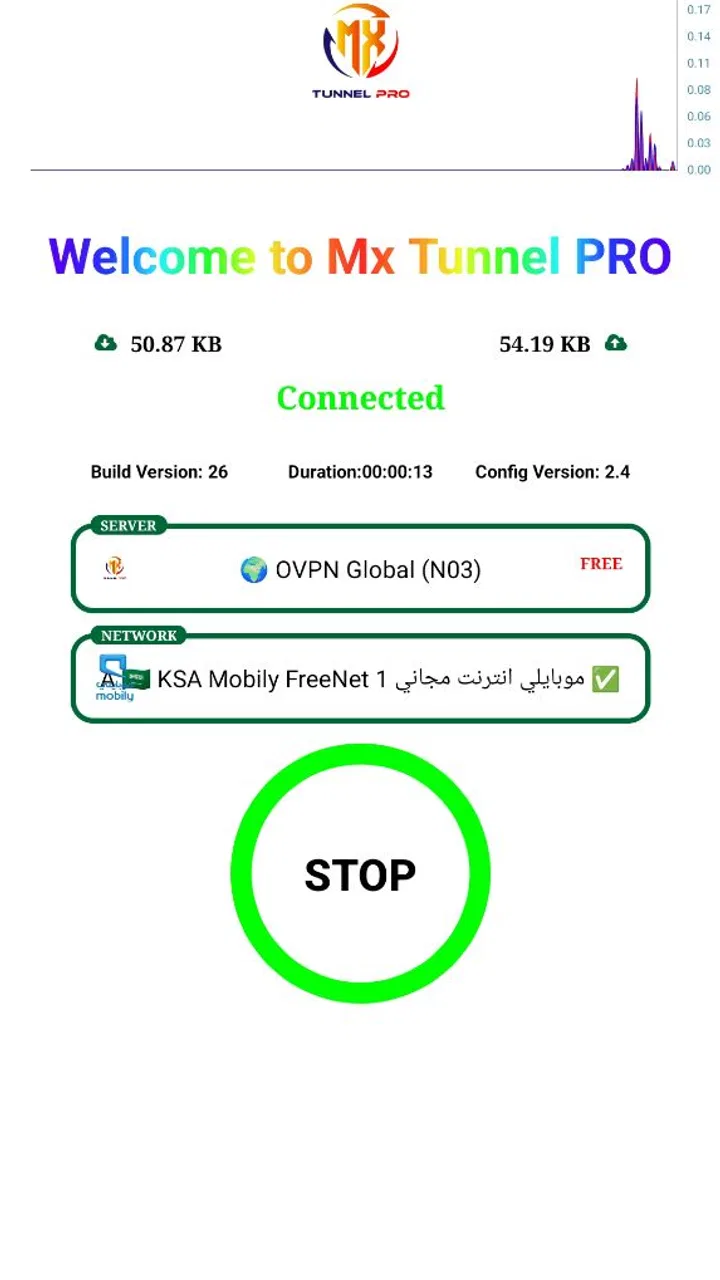
After opening the app, I treat the first attempt as a setup check, not as a final verdict. The store summary describes the service as fast and reliable, but real-world speed depends on the route, the local network, and the service being accessed. I connect, wait for the phone to indicate that the session is active, and then test a small, ordinary action such as opening a page or sending a message.
This order matters. Starting with a large download or a video stream can hide the real issue because several variables change at once. A short text request gives me a cleaner answer: did the connection establish, did the target service respond, and did the tunnel remain active long enough to be useful?
One practical habit is to test the same destination before and after connecting. I do not rely only on the app’s connected state. A tunnel can appear active while the particular service I care about remains slow or unavailable. Checking the outcome in the app I intended to use is more meaningful than watching a status indicator.
Moving from connection to everyday use
Once the session works, I move through my normal task rather than changing several phone settings at the same time. For example, imagine I am travelling and a hotel Wi-Fi network allows basic browsing but struggles with a work portal. I would connect to the network, try the portal normally, open MX Tunnel Pro, establish the tunnel, and try the portal again. If it loads, I can continue with the task; if it does not, I disconnect and compare the result on mobile data or another network.
This workflow also helps with battery and data decisions. A tunnel that is useful for a short login or message does not necessarily make sense to keep active for every app all day. I prefer connecting when I have a defined task, completing it, and disconnecting when I no longer need the altered route. That is a more controlled approach than leaving the connection running simply because it connected successfully.
Another useful check is to repeat the test at a different time. Network congestion can make the same configuration feel excellent in one session and disappointing in another. If the app works once but fails later, that does not automatically mean the installation is broken. It may indicate that the route or the underlying network has changed.
Handling the handoffs between phone, network, and app
The important handoff is not only between MX Tunnel Pro and the internet. There are several points where the result can change: the Android device hands traffic to the local Wi-Fi or mobile network, the tunnel app establishes its route, and the destination app or website has to accept the resulting connection. A failure at any one of those stages can look like an app problem.
When troubleshooting, I change one thing at a time. I first disconnect and reconnect the tunnel. If that does not help, I compare Wi-Fi with mobile data. Then I close and reopen the app that is failing. This sequence is slower than randomly changing settings, but it makes the cause easier to identify. It also avoids blaming MX Tunnel Pro for a problem that belongs to the destination service.
There is a second handoff that matters for everyday users: the moment another person takes over the phone. If I were helping a family member use the app, I would explain the whole routine in plain language: connect the underlying network, start the tunnel, test the intended app, and disconnect after finishing. That is easier to remember than telling someone to keep retrying until the connection feels different.
I would also tell them not to assume that every application will respond identically. Some services may work normally while another remains slow or refuses the connection. That uneven result is one reason MX Tunnel Pro is better treated as a targeted tool than as a universal fix for every online activity.
What the finished result should look like
A successful outcome is not necessarily the highest possible speed. For me, the more useful result is a stable enough route to complete the original task: sending a message, opening a page, signing into a service, or continuing a short session without repeated failures. If the task finishes reliably, the app has done its job even if the connection does not feel dramatically faster.
The app’s free price lowers the barrier to trying it, which is a genuine advantage. I can evaluate it on my own phone and network without committing money first. The Everyone content rating also makes it approachable for general household use, although adults should still explain sensible network habits to younger users, especially on shared or public connections.
Its audience size is another reason I would consider testing it before searching for a more complicated alternative. With over five million installs and around 1.3 thousand written reviews, MX Tunnel Pro is not an obscure experiment with no visible user base. Still, a large audience cannot remove the technical trade-off at the heart of tunnel tools: the extra route may improve access in one situation and add delay in another.
Where the workflow breaks down
The main weakness is dependence on conditions outside the app. If the underlying Wi-Fi is unstable, the tunnel may disconnect or become inconsistent. If the chosen route is busy, browsing may feel slower than a direct connection. If a service actively rejects the connection, repeatedly pressing connect is unlikely to solve the problem. These are not minor details; they determine whether the app is useful on a particular day.
I also would not choose MX Tunnel Pro as a replacement for a dedicated privacy product without first understanding the distinction between routing traffic and having a complete privacy strategy. The app is presented as a fast and reliable service, but that wording alone is not a substitute for reading the app’s current permissions and privacy information before using it for sensitive work. For banking, confidential business activity, or accounts with strict security requirements, I would be more cautious and would compare established options with clearly documented policies.
There can also be friction when an app behaves differently after the tunnel starts. Login challenges, slower media loading, or a service that repeatedly asks for verification may make the connection more trouble than it is worth. In those cases, the better choice may be the ordinary network, a different Wi-Fi connection, or a conventional VPN service whose controls and documentation better match the task.
Users who want automatic device-wide management, detailed server selection, advanced diagnostics, or a polished privacy dashboard may find this tool too limited for their expectations. MX Tunnel Pro makes sense when the goal is a straightforward tunnel connection, not when the user wants to manage every aspect of network traffic from one control center.
Small habits that improve the experience
I recommend keeping a short mental record of what worked: the underlying network, the time of day, the app being tested, and whether the result was faster, merely more stable, or unchanged. This is more useful than judging the tool after one failed attempt. It can reveal that the app is reliable on mobile data but poor on a particular hotspot, or helpful for messaging but unnecessary for ordinary browsing.
Another practical tip is to finish the handoff cleanly. After completing the task, I disconnect and then confirm that the phone returns to normal network behavior. If another app suddenly stops loading, I know whether the tunnel is still involved. This also keeps the workflow understandable for anyone sharing the device.
Finally, I avoid treating the connected label as proof of success. The real test is the result at the other end. That simple distinction is one of the most valuable lessons with MX Tunnel Pro: the connection process and the useful outcome are related, but they are not exactly the same thing.
My recommendation after using the complete workflow
MX Tunnel Pro is worth trying if you need a free Android tool for a specific connectivity situation and you are willing to test it against your own network. I like that the entry cost is zero, the Android compatibility reaches back to version 7.0, and the workflow can be kept simple: establish the base connection, start the tunnel, test the intended service, and disconnect when finished. RR Technology has made something approachable enough for ordinary troubleshooting rather than forcing every user into a complicated setup.
I would recommend it most to people who occasionally face routing or access problems and want an additional option beside their normal Wi-Fi or mobile data. It is also a reasonable candidate for an older Android phone, provided the device remains responsive during use. The app’s 4.4 average and broad adoption support giving it a fair trial, but I would still decide based on completed tasks rather than ratings.
I would skip it if I needed guaranteed performance, extensive configuration, transparent enterprise controls, or a clearly documented privacy-focused service for sensitive activity. I would also move on if repeated tests show that it adds delay without improving access. In that situation, changing the underlying network or choosing a more specialized alternative is the sensible answer.
My final view is that MX Tunnel Pro is most useful as a practical, task-focused fallback. It can turn a frustrating connection problem into a completed job, but only when the surrounding network and destination service cooperate. If you approach it with a baseline test, change one variable at a time, and judge the final result instead of the connection indicator alone, you will get a much clearer idea of whether this free tools app belongs on your phone.
FAQs for MX Tunnel Pro
01What is MX Tunnel Pro, and what does it do?
MX Tunnel Pro is a VPN application designed to provide secure and private internet access for Android and iOS devices. It encrypts your internet traffic, allowing you to browse the web anonymously and bypass geo-restrictions. This app is ideal for users who want to protect their online privacy and access content that may be restricted in their region.
02Is MX Tunnel Pro free to use, or does it require a subscription?
MX Tunnel Pro offers both free and premium subscription tiers. The free version provides basic VPN features with limited server access, while the premium subscription unlocks enhanced features such as faster connection speeds, more server locations, and ad-free usage. Users can choose a plan that best fits their needs and budget.
03How secure is MX Tunnel Pro in terms of protecting my data?
MX Tunnel Pro employs high-level encryption protocols to secure your data and ensure privacy while browsing. It uses industry-standard AES-256 encryption, which is considered very secure. Additionally, the app does not log user activity, ensuring that your browsing history and personal information remain confidential.
04Can MX Tunnel Pro bypass geo-restrictions on streaming services?
Yes, MX Tunnel Pro is capable of bypassing geo-restrictions on various streaming services, allowing you to access content that may be unavailable in your region. However, the effectiveness can vary depending on the streaming platform's current VPN detection methods. The premium version typically offers better performance for streaming content.
05What platforms and devices are compatible with MX Tunnel Pro?
MX Tunnel Pro is compatible with both Android and iOS devices, making it versatile for a wide range of users. The app is available for download on the Google Play Store and Apple App Store. It supports various versions of Android and iOS, ensuring it can be used on most smartphones and tablets.
Pros
- Fast and secure internet connection.
- User-friendly interface and easy setup.
- Supports multiple server locations.
- No logging of user data for privacy.
- Compatible with many devices and platforms.
Cons
- Limited free version features.
- Occasional connection drops.
- In-app ads can be intrusive.
- Requires stable internet for optimal use.
- Customer support response can be slow.

MX Tunnel Pro
Gallery